MealsApp
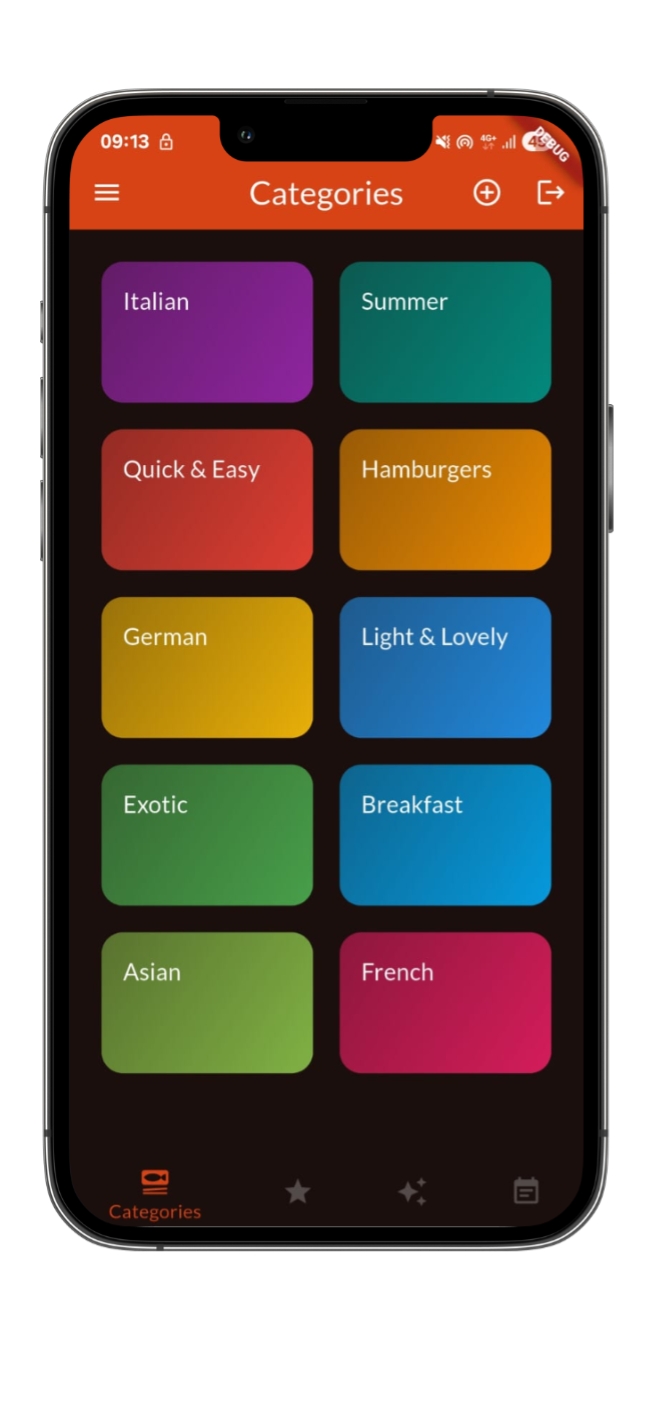
MealsApp is a cross-platform mobile application designed to help users discover meals, organize their weekly food planning, and simplify daily cooking decisions.
The application provides categorized meals, detailed recipes, dietary filtering, and an AI-assisted meal scheduling system to enhance user experience and planning efficiency.
MealsApp is built using the Flutter framework with Firebase as a Backend-as-a-Service, ensuring scalability, real-time data synchronization, and a smooth multi-device experience.
- User authentication via email/password and Google Sign-In
- Categorized meal browsing with asynchronous data loading
- Detailed meal pages including images, ingredients, steps, and user reviews
- Favorites management for quick access to preferred meals
- Dietary filters (vegetarian, vegan, gluten-free, lactose-free)
- Smooth navigation with tab-based layout and animations
- Fully responsive UI optimized for Android and iOS devices
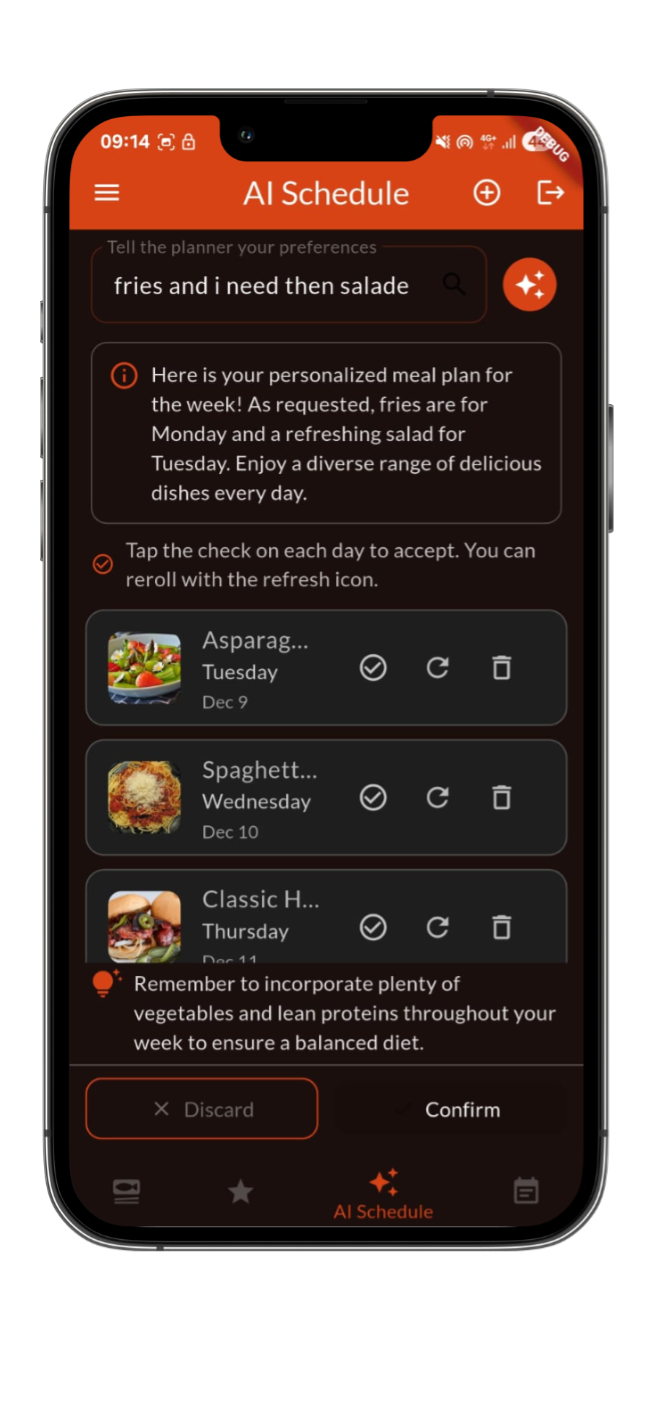
MealsApp integrates an AI-powered scheduling feature that assists users in organizing their weekly meals based on personal preferences.
The AI Schedule system:
- Collects user preferences and dietary constraints
- Generates a structured weekly meal plan
- Allows users to accept, regenerate, or discard suggested meals
- Automatically inserts confirmed meals into the personal schedule
- Firebase Authentication for secure user access
- Cloud Firestore (NoSQL) for meals, users, schedules, and reviews
- Firebase Storage for meal image hosting
- Real-time data synchronization using streams
- Structured data validation and access control via Firebase Rules
- Authentication-based access control for all write operations
- User-specific ownership rules for schedules and reviews
- Secure image storage with Firebase Storage Rules
- Input validation and error handling with user-friendly feedback
- Mobile Framework: Flutter (Dart)
- Backend: Firebase (Authentication, Firestore, Storage)
- State Management: Riverpod
- AI Integration: Firebase AI (Gemini-based meal planning intergation)
- Development Tools: IntelliJ IDEA, Android Studio
MealsApp helped me improve my Flutter skills while working with Firebase services in a real mobile application. I gained practical experience in UI design, state management, and asynchronous data handling, and learned how to integrate smart features into a user-focused app.
AI-Assisted Features
Smart meal planning powered by AI-driven suggestions.
Cross-Platform App
Single codebase supporting both Android and iOS devices.
Firebase Backend
Cloud-based authentication, database, and storage using Firebase.
Flutter Mobile UI
Modern, responsive user interfaces built with Flutter widgets.
State Management
Efficient app state handling using Riverpod.
User-Centered Design
Focused on usability, smooth navigation, and intuitive interactions.
Dart (Flutter)
Developed mobile application logic, UI components, and state management using Dart in Flutter.
- Built responsive mobile user interfaces using stateless and stateful widgets.
- Managed application state efficiently with Riverpod.
- Implemented navigation, forms, validation, and asynchronous operations.
- Structured scalable Flutter projects following clean architecture principles.
Firebase (Backend Services)
Worked with Firebase Authentication, Firestore, and Storage to manage users, data, and media securely.
- Implemented secure user authentication with Firebase Authentication.
- Designed and managed NoSQL data models using Cloud Firestore.
- Handled real-time data synchronization with streams